I’ve been testing Linux gaming setups daily for years now, and the pace of change in 2024 has been wild.
You’re probably here because you keep seeing headlines about Linux gaming breakthroughs but can’t tell what actually matters for your system. I get it. The hype cycle is exhausting.
Here’s what’s really happening: compatibility layers are getting better at a rate that surprised even me. Performance gaps are closing. And hardware support? It’s not what it was two years ago.
I spend my time doing kernel-level performance tuning and tracking Proton compatibility reports as they drop. Not just reading about them. Actually testing them on real hardware.
This article breaks down the pblinuxgaming trend updates you need to know about right now. I’ll show you which compatibility improvements are worth your time and which performance tweaks actually work.
You’ll learn what’s changed with Proton, where the real performance gains are coming from, and what hardware trends matter for your next upgrade.
No fluff about the future of gaming. Just what works today and how to get the best experience on your Linux system.
Trend 1: The Maturation of Proton and Anti-Cheat Compatibility
Let me tell you about something that’s changed the game completely.
A year ago, if you wanted to play new releases on Linux, you waited. Sometimes weeks. Sometimes months. And multiplayer games with anti-cheat? Forget it.
Not anymore.
Beyond Proton Experimental
Proton Experimental still gets the headlines. But here’s what most people don’t realize.
Community builds like Proton-GE are now giving you day-one access to titles that official Proton can’t touch yet. I’m talking about games launching on a Tuesday and being playable on Linux by Wednesday morning.
Why does this matter to you? You’re not sitting on the sidelines anymore while your friends play the latest releases. You’re in the game with everyone else.
Proton-GE adds codec support and patches that Valve can’t include for licensing reasons. That means cutscenes actually play and audio doesn’t cut out at random moments (which used to drive me crazy).
The Anti-Cheat Breakthrough
This is where things get interesting.
Easy Anti-Cheat and BattlEye both support Linux now. But here’s the catch. It’s up to developers to flip the switch.
Some have. Apex Legends works. Elden Ring works. Dead by Daylight works. You can jump into these games right now and the anti-cheat won’t kick you.
But games like Destiny 2 and PUBG? Still blocked. The anti-cheat supports Linux but the developers haven’t enabled it.
What this means for you is simple. Before you buy a multiplayer game, check Pblinuxgaming tech trends by plugboxlinux reports or ProtonDB. Five minutes of research saves you from wasting money on a game you can’t play.
Getting Set Up Right
Want to make sure you can play everything your library supports?
Install ProtonUp-Qt. It’s a simple tool that lets you manage multiple Proton versions from one place.
Here’s how it works. Open ProtonUp-Qt and you’ll see a list of available Proton builds. Install Proton-GE alongside your existing versions. Then in Steam, right-click any game, go to Properties, and pick which Proton version to use.
Some games run better on GE. Some need Experimental. Now you can switch between them in seconds instead of troubleshooting for hours.
Trend 2: The Handheld Effect and the Rise of Wayland
You know what’s funny?
A handheld gaming device made Linux cool again.
The Steam Deck didn’t just give us portable PC gaming. It forced Valve to fix problems that desktop Linux gamers had been complaining about for years. (Thanks, I guess?)
And honestly? The ripple effect has been wild.
The Steam Deck Changed Everything
Valve poured money into Gamescope. They optimized Mesa drivers until they actually worked properly. They made gaming interfaces that didn’t look like they were designed in 2003. With Valve’s significant investment in Gamescope and their relentless optimization of Mesa drivers, the landscape of Linux gaming has transformed dramatically, a change that Pblinuxgaming enthusiasts have eagerly embraced. With Valve’s significant investment in Gamescope and their relentless optimization of Mesa drivers, the landscape of Linux gaming has evolved dramatically, making platforms like Pblinuxgaming increasingly viable for both casual and hardcore gamers alike.
All because they needed the Steam Deck to work flawlessly.
Desktop Linux users are basically getting a free ride on all that development. Every fix Valve makes for the Deck? It filters down to your setup too.
But here’s where things get interesting.
Wayland is becoming the new standard. And I’m not just talking about it in theory anymore.
Some people will tell you X11 is fine. That Wayland is still too buggy. That you should wait another five years before switching. We explore this concept further in Tech Hacks Pblinuxgaming.
Look, I get the hesitation. Change is annoying.
But the pblinuxgaming trend updates show something clear. More gamers are moving to Wayland and actually staying there.
Why Wayland Actually Matters for Gaming
Frame pacing on X11 has always been a mess. You’d get stutters that made no sense. Screen tearing that no amount of tweaking could fix.
Wayland handles this better. Period.
You also get proper VRR support now. Variable refresh rate actually works the way it’s supposed to. And the security improvements mean your game sessions aren’t vulnerable to keyloggers just sitting there watching everything you type.
Is it perfect? No.
Some games still act weird. NVIDIA support was a dumpster fire until recently. And if you’re running older hardware, you might hit some walls.
Getting Wayland to Actually Work
KDE Plasma makes this pretty straightforward now.
Set your compositor to Wayland in your session settings. Make sure you’re running Gamescope for Steam games. Add gamescope -f -- %command% to your launch options if you want fullscreen to behave.
GNOME users have it even easier. It defaults to Wayland already. Just make sure Mutter is handling your compositing properly.
The trick is checking your environment variables. echo $XDG_SESSION_TYPE should return “wayland” if everything’s set up right.
If you’re still getting tearing? Check if your game is forcing X11 through XWayland. Some older titles do this automatically and you’ll need to force native Wayland support.
Trend 3: Advanced Performance Tuning and Kernel Innovations
Most Linux gamers stop at Steam and Proton.
They get their games running and call it done.
But you’re leaving performance on the table if that’s where you stop.
I think the real difference between okay gaming and great gaming on Linux comes down to how well you understand your system’s bottlenecks. And honestly, most people never bother to look.
Let me show you what I mean.
The Tools That Actually Matter
Forget basic FPS counters. They tell you almost nothing useful.
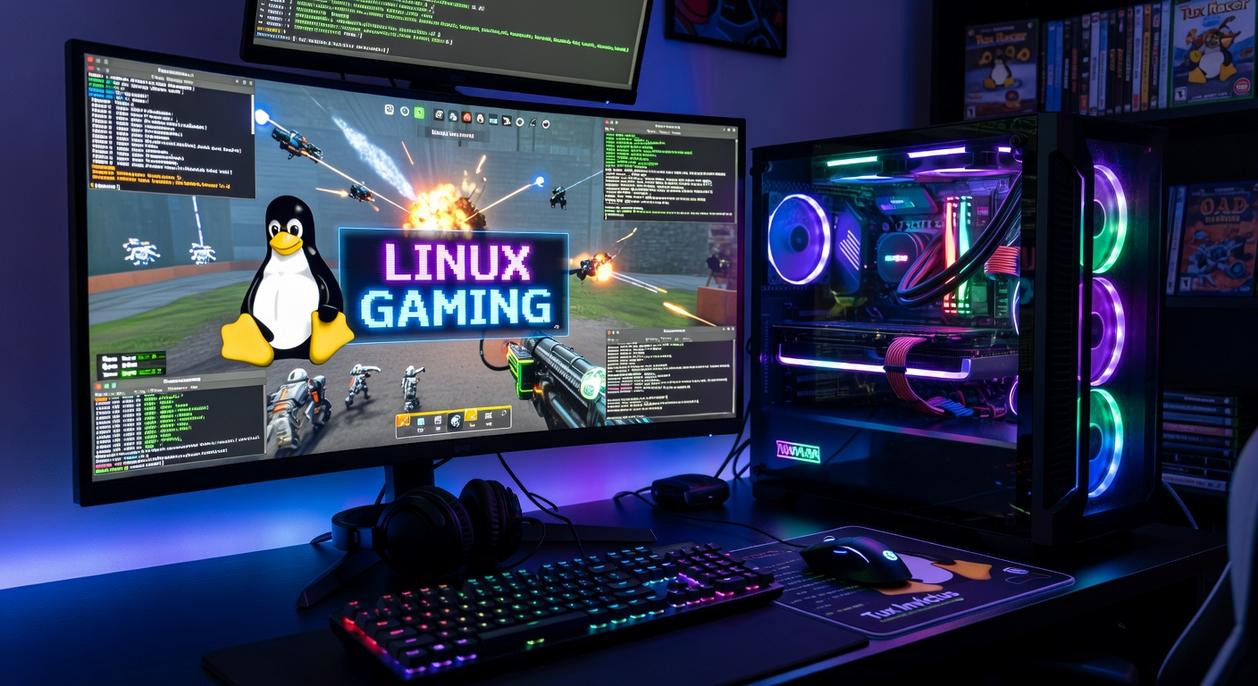
MangoHud is what you want. It gives you real-time data on CPU usage, GPU load, frame times, and temperatures. All overlaid on your game screen. You can see exactly what’s happening when your framerate tanks. For gamers looking to optimize their experience, utilizing tools like MangoHud alongside the latest Tips Tech Pblinuxgaming can provide invaluable insights into system performance during intense gaming sessions. For gamers looking to optimize their experience, utilizing tools like MangoHud alongside the latest Tips Tech Pblinuxgaming can significantly enhance performance by providing crucial insights into system metrics during gameplay.
I use it on every game I play. Not because I’m obsessed with numbers (okay, maybe a little). But because it shows me what’s actually holding my system back.
vkBasalt is different. It adds post-processing effects like sharpening and contrast adjustment. Some people hate the idea of adding processing overhead. They say it defeats the purpose of performance tuning.
Here’s my take though.
If you’ve got headroom and your games look washed out? Use it. A sharper image makes a bigger difference to your experience than an extra 10 FPS you won’t notice.
Kernel Changes That Actually Help
The EEVDF scheduler landed in recent kernels. It changed how Linux handles task scheduling.
What does that mean for you? Better input responsiveness and lower latency in games. Especially if you’re running other stuff in the background.
I noticed it immediately when I updated. My mouse felt more responsive in fast shooters.
Now, custom kernels like XanMod or Liquorix take this further. They’re built specifically for desktop and gaming workloads. Some people say they’re overkill. That the stock kernel is fine.
And look, they’re not wrong for most users.
But if you’re chasing every bit of performance? Custom kernels make a measurable difference. I’ve tested both and XanMod gave me consistently lower frame times on my setup.
Finding Your Bottleneck
Here’s a simple way to figure out what’s holding you back.
Run MangoHud and watch your CPU and GPU usage during gameplay. If your GPU sits at 95-100% while your CPU hovers around 60%? GPU bottleneck. Means you need to lower graphics settings or upgrade your card.
If your CPU cores are maxed while GPU usage bounces around 70-80%? CPU bottleneck. You need to close background apps or consider an upgrade.
Most people never check this. They just assume their whole system is slow.
For more ways to squeeze performance out of your setup, check out these tips tech pblinuxgaming resources.
The pblinuxgaming trend updates show more people are finally paying attention to kernel-level tweaks. About time.
Pro tip: Start with MangoHud before you touch anything else. You can’t fix problems you can’t measure.
Trend 4: The Growth of Native Linux Gaming and Open-Source Engines
Here’s something most people don’t realize.
We’re past the point where Linux gaming means waiting for someone else to make compatibility layers work. Native development is actually happening now.
And honestly? It’s about time. We explore this concept further in Technology Tips Pblinuxgaming.
I’ve watched indie studios and AA developers ship games built for Linux from day one. They’re using engines like Godot and Bevy, and the results speak for themselves. No translation layer. No hoping Proton does its magic. Just games that run the way they’re supposed to.
Why This Matters
Some folks will tell you that Proton solved everything. That we don’t need native games anymore because compatibility is good enough.
I disagree.
Native games perform better. They integrate with your system properly. And when something breaks, you can actually fix it because the developers built it for your platform.
The open-source angle makes perfect sense too. Developers who choose Linux tend to care about transparency and community input. That’s why you see so many promising projects using engines like Godot (which is completely open-source itself).
Where to Actually Find These Games
You’re probably wondering where to look. Fair question.
Here’s what works for me:
• Steam has curators who specifically track native Linux releases
• Itch.io lets you filter by platform, and their Linux section is surprisingly deep
• Check pblinuxgaming trend updates for new releases worth your time For those passionate about gaming on Linux, staying updated with the latest titles and innovations is essential, and you can find invaluable insights in the Pblinuxgaming Tech Trends by Plugboxlinux. For those passionate about gaming on Linux, exploring the latest titles and updates is essential, and you can find valuable insights in the Pblinuxgaming Tech Trends by Plugboxlinux.
The native gaming scene isn’t just growing. It’s maturing. And if you know where to look, you’ll find games that run better on Linux than they ever would through a compatibility layer.
Your Optimized Linux Gaming Future
You came here to understand where Linux gaming is headed.
Now you know the four trends that matter most. Compatibility layers are mature. Hardware improvements are driving better software. Advanced tuning gives you more control than ever. Native gaming keeps growing.
I built PB Linux Gaming to help you make sense of these changes. The landscape moves fast and you need information that actually works.
Here’s the thing: knowing about these trends isn’t enough. You have to use them.
Pick one performance tweak from this guide and try it today. Or download a native Linux game you’ve been curious about. See these advancements in action on your own rig.
Staying current on pblinuxgaming trend updates means you’re always getting the most from your setup. You’re not guessing anymore.
The tools are there. The games are there. Your system is ready.
What you do next is what counts.
 Founder & Chief Visionary Officer
Ask Eloria Neythanna how they got into tech industry buzz and you'll probably get a longer answer than you expected. The short version: Eloria started doing it, got genuinely hooked, and at some point realized they had accumulated enough hard-won knowledge that it would be a waste not to share it. So they started writing.
What makes Eloria worth reading is that they skips the obvious stuff. Nobody needs another surface-level take on Tech Industry Buzz, Proton Compatibility Insights, Linux Setup Optimization Tips. What readers actually want is the nuance — the part that only becomes clear after you've made a few mistakes and figured out why. That's the territory Eloria operates in. The writing is direct, occasionally blunt, and always built around what's actually true rather than what sounds good in an article. They has little patience for filler, which means they's pieces tend to be denser with real information than the average post on the same subject.
Eloria doesn't write to impress anyone. They writes because they has things to say that they genuinely thinks people should hear. That motivation — basic as it sounds — produces something noticeably different from content written for clicks or word count. Readers pick up on it. The comments on Eloria's work tend to reflect that.
Founder & Chief Visionary Officer
Ask Eloria Neythanna how they got into tech industry buzz and you'll probably get a longer answer than you expected. The short version: Eloria started doing it, got genuinely hooked, and at some point realized they had accumulated enough hard-won knowledge that it would be a waste not to share it. So they started writing.
What makes Eloria worth reading is that they skips the obvious stuff. Nobody needs another surface-level take on Tech Industry Buzz, Proton Compatibility Insights, Linux Setup Optimization Tips. What readers actually want is the nuance — the part that only becomes clear after you've made a few mistakes and figured out why. That's the territory Eloria operates in. The writing is direct, occasionally blunt, and always built around what's actually true rather than what sounds good in an article. They has little patience for filler, which means they's pieces tend to be denser with real information than the average post on the same subject.
Eloria doesn't write to impress anyone. They writes because they has things to say that they genuinely thinks people should hear. That motivation — basic as it sounds — produces something noticeably different from content written for clicks or word count. Readers pick up on it. The comments on Eloria's work tend to reflect that.