
Linux gaming has evolved from a niche hobby into a powerful, customizable ecosystem driven by community innovation and the open hardware movement. If you’re here, you’re likely looking for clear, practical guidance on getting the best gaming performance from your Linux setup—whether that means improving Proton compatibility, fine-tuning system performance, or choosing the right open-source tools.
This article is designed to cut through outdated advice and forum noise. We focus on what actually works today: tested performance tweaks, compatibility insights for modern titles, and straightforward setup optimizations that make a measurable difference. Instead of generic recommendations, you’ll find targeted strategies aligned with how Linux gaming currently functions across major distributions and hardware configurations.
Our guidance is grounded in hands-on testing, deep analysis of open-source development trends, and continuous monitoring of Proton updates and driver improvements. By the end, you’ll have a clearer, more confident path to building a stable, high-performance Linux gaming environment tailored to your needs.
Beyond the Black Box: The Rise of Collaborative Technology
As developers embrace the rise of open hardware, understanding how to optimize their systems becomes crucial, especially when considering the impact of different setups on performance, as discussed in our article on choosing the right desktop environment – for more details, check out our Choosing the Right Desktop Environment for Performance.
Modern devices often function like sealed “black boxes” (systems whose inner workings are hidden from users). In other words, you can use them—but you can’t truly understand, repair, or modify them. This leads to vendor lock-in (when customers are forced to rely on one manufacturer for parts or upgrades) and even planned obsolescence, where products are designed to wear out quickly (yes, it’s as frustrating as it sounds).
So what’s the alternative? The open hardware movement flips that model. Instead of secrecy, it shares schematics, design files, and documentation publicly. As a result, communities collaborate, improve designs, and adapt hardware for specific needs—especially in gaming setups where customization matters. Ultimately, understanding this shift clarifies where technology is heading: toward transparency, shared innovation, and user control.
What Does “Open-Source Hardware” Actually Mean?
At its core, Open-Source Hardware (OSHW) means that the complete design of a physical product is publicly available. That includes schematics (circuit diagrams showing how components connect), board layouts (the physical arrangement of those components), bills of materials or BOMs (detailed parts lists), and any supporting software or firmware. In practical terms, anyone can study, modify, redistribute, and even manufacture the hardware themselves.
So what makes something truly open? First, there’s the freedom to repair and modify. If your device breaks, you’re not locked out of fixing it. Second, you can create derivative works—new products based on the original design. Third, documentation must be transparent and accessible. Without clear documentation, “open” is just marketing.
For example, the Arduino platform publishes its design files openly, allowing hobbyists and companies alike to build compatible boards. That collaborative spirit fuels faster iteration (many eyes spot bugs quickly) and lowers barriers to entry.
By contrast, proprietary hardware keeps designs secret. Supporters argue this protects intellectual property and ensures quality control. That’s fair—companies do invest heavily in R&D. However, closed systems limit user agency and often slow community-driven innovation.
Licenses like the CERN Open Hardware Licence (CERN-OHL) help balance these interests. They preserve attribution for creators while guaranteeing users the right to modify and share. In short, the open hardware movement isn’t anti-business—it’s pro-transparency and pro-collaboration.
The Engine of Innovation: How Community Collaboration Works
A single idea can become an ecosystem when a community builds around it. On platforms like GitHub and GitLab, developers don’t just download code—they fork it (create their own copy), improve it, and submit changes back. Dedicated forums turn bug reports into feature roadmaps. What starts as one repository can evolve into plugins, documentation hubs, and third-party tools.
Some critics argue that too many contributors create chaos. And yes, unmanaged collaboration can lead to messy code. But with clear contribution guidelines, version control, and maintainers reviewing pull requests, community-driven projects often move faster than closed teams (think “Justice League,” but with better coordination).
Accelerated Development & Debugging
A global volunteer base means:
- Bugs are spotted across different hardware setups
- Features are tested in real-world conditions
- Improvements arrive around the clock
Practical tip: If you want to contribute, start small. Reproduce a bug, document the steps, and submit a clear issue report. That alone speeds development.
Case Study in Collaboration
Arduino is a classic example. Community shields (add-on boards), libraries, and tutorials transformed it from a simple microcontroller into a versatile platform. Similarly, Prusa 3D printers improved rapidly because users shared print profiles and hardware mods—hallmarks of the open hardware movement.
Lowering the Barrier to Entry
Community wikis, Discord servers, and step-by-step YouTube guides make complex hardware approachable. Beginners can:
- Follow setup tutorials
- Ask targeted forum questions
- Share small improvements back
Even broader conversations—like cybersecurity trends to watch in the coming years—shape how communities secure their projects. Collaboration doesn’t just build products; it builds capability.
Open Hardware in Gaming: Taking Back Control
The Ultimate Customization
At its core, open hardware means designs and schematics are publicly shared, allowing anyone to study, modify, and improve them. In gaming, that translates to total control over your gear. Open-source fight sticks, moddable controllers, and custom mechanical keyboards let you fine-tune switch types, input latency, and layout. The benefit? Hardware that fits you, not the average consumer. Instead of settling for factory presets, you dial in faster actuation for competitive play or ergonomic layouts for marathon sessions (because wrist pain is not a skill issue). Critics argue branded peripherals are already “good enough.” Fair—but “good enough” rarely wins tournaments or maximizes comfort.
Powering DIY Handhelds
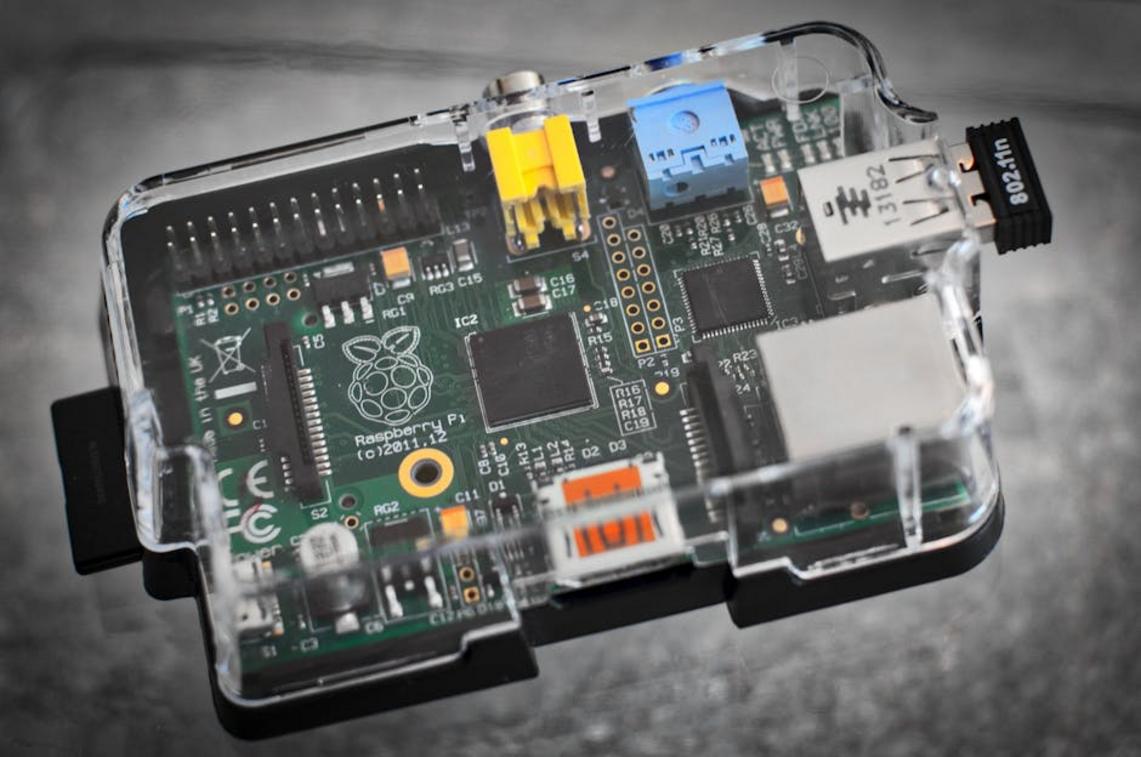
Meanwhile, community-built handhelds powered by single-board computers like Raspberry Pi and Linux are redefining portability. These DIY systems let you choose the screen size, battery capacity, and emulation software stack. The upside is clear: you get a tailored retro or indie powerhouse at a fraction of the cost of proprietary devices. Some say this tinkering is too technical. Yet with detailed guides and active forums, the barrier to entry has dropped dramatically. The reward is a device built around your library, not locked storefronts.
Performance and Optimization
Here’s where it gets exciting. Open drivers—software that lets your operating system communicate with hardware—enable deeper performance tweaks. On Linux, users can adjust kernel parameters, optimize Proton compatibility, and fine-tune GPU behavior. The result? Better frame pacing and reduced overhead. (Pro tip: Small driver updates can yield measurable FPS gains.)
The Spirit of the Steam Deck
Even mainstream devices echo the open hardware movement. The Steam Deck encourages OS swaps, repairs, and mods. That flexibility means longer lifespan, stronger resale value, and true ownership—benefits every gamer can appreciate.
How to Join the Open Hardware Revolution
First, a quick recap. Open hardware helps you escape vendor lock-in (when a company restricts repairs, parts, or upgrades to keep you dependent), protects your right to repair, and invites you into a transparent, collaborative design process. In short: you’re not just a user—you’re a participant.
So where do you begin?
Closed device vs open kit is a helpful comparison. With Device A (closed), you get polish but limited control. With Device B (open), you get schematics, modding freedom, and community fixes—often faster than official patches. For example, browsing repositories at OSHWA or Hackaday.io lets you see real schematics and licenses before you commit.
Next, start small. An Arduino starter kit offers documentation, community forums, and beginner-friendly projects. Alternatively, contribute to documentation for a tool you already use (yes, even typo fixes help).
Ultimately, the open hardware movement isn’t just about free blueprints. It’s about building sustainable, user-first technology—one shared schematic at a time.
Level Up Your Linux Gaming Experience
You came here to figure out how to get the most out of Linux gaming — better performance, smoother Proton compatibility, and a cleaner, more optimized setup. Now you know the tweaks, tools, and strategies that actually make a difference.
The frustration of random crashes, underperforming hardware, and confusing compatibility layers doesn’t have to be your norm. With the right optimizations and a deeper understanding of how Linux interacts with your games, you can turn a clunky experience into a powerful, streamlined setup built around the open hardware movement and open-source flexibility.
Your next step is simple: start applying these performance tweaks today. Audit your current setup, optimize Proton configurations, and fine-tune your system for maximum FPS and stability.
If you’re serious about smoother gameplay and full control over your system, dive deeper into our expert Linux gaming breakdowns. We’re trusted by passionate Linux gamers who want real performance gains — not guesswork. Explore the guides, implement the changes, and transform your Linux rig into the high-performance gaming machine it’s meant to be.
 Lead Systems Analyst & Performance Engineer
Ramond Jonestevensen is the kind of writer who genuinely cannot publish something without checking it twice. Maybe three times. They came to linux performance tweaks through years of hands-on work rather than theory, which means the things they writes about — Linux Performance Tweaks, Tech Industry Buzz, Expert Breakdowns, among other areas — are things they has actually tested, questioned, and revised opinions on more than once.
That shows in the work. Ramond's pieces tend to go a level deeper than most. Not in a way that becomes unreadable, but in a way that makes you realize you'd been missing something important. They has a habit of finding the detail that everybody else glosses over and making it the center of the story — which sounds simple, but takes a rare combination of curiosity and patience to pull off consistently. The writing never feels rushed. It feels like someone who sat with the subject long enough to actually understand it.
Outside of specific topics, what Ramond cares about most is whether the reader walks away with something useful. Not impressed. Not entertained. Useful. That's a harder bar to clear than it sounds, and they clears it more often than not — which is why readers tend to remember Ramond's articles long after they've forgotten the headline.
Lead Systems Analyst & Performance Engineer
Ramond Jonestevensen is the kind of writer who genuinely cannot publish something without checking it twice. Maybe three times. They came to linux performance tweaks through years of hands-on work rather than theory, which means the things they writes about — Linux Performance Tweaks, Tech Industry Buzz, Expert Breakdowns, among other areas — are things they has actually tested, questioned, and revised opinions on more than once.
That shows in the work. Ramond's pieces tend to go a level deeper than most. Not in a way that becomes unreadable, but in a way that makes you realize you'd been missing something important. They has a habit of finding the detail that everybody else glosses over and making it the center of the story — which sounds simple, but takes a rare combination of curiosity and patience to pull off consistently. The writing never feels rushed. It feels like someone who sat with the subject long enough to actually understand it.
Outside of specific topics, what Ramond cares about most is whether the reader walks away with something useful. Not impressed. Not entertained. Useful. That's a harder bar to clear than it sounds, and they clears it more often than not — which is why readers tend to remember Ramond's articles long after they've forgotten the headline.