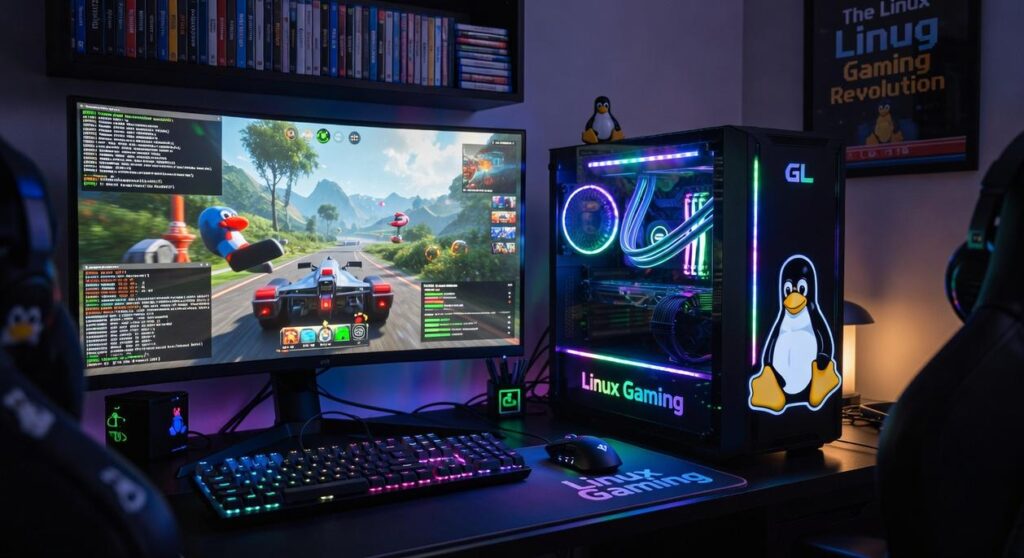
You love the freedom and performance of Linux. I get it. But there’s that one Windows-only game with aggressive anti-cheat you can’t ignore.
Frustrating, right? my guide on dual-boot Linux gaming comes in. Setting up a dual boot without pulling your hair out feels daunting. But it doesn’t have to be.
I’ve been through the trial-and-error (more error than I’d like to admit) to find the smoothest path. So, is it worth the hassle? What’s the trade-off?
In this article, I’ll lay it out clearly. No fluff. Just a roadmap to get your gaming setup right.
You’ll know exactly how to tackle the setup, sidestep common pitfalls, and start gaming without compromise. Let’s make those gaming dreams a reality.
Dual Boot Bliss: Two Systems, One PC Magic
Let’s face it, if you’re into dual-boot Linux gaming, the real perk is having 100% game compatibility. Windows plays nice with games that throw tantrums about anti-cheat (like Valorant or Destiny 2). You don’t have to deal with those headaches while keeping your sleek Linux environment for everything else.
But why Linux? It’s not just a rebel OS; the performance advantages are there, especially when you’re using something like Proton. Linux cuts through the bloat, offering lighter OS overhead.
It’s like having the power of a stealthy ninja. Customizable, fast, and just plain cool.
Beyond gaming, Linux shines in security and privacy. Who doesn’t want a secure system these days? Using open-source software gives you control and flexibility, whether you’re coding, creating, or just browsing.
Plus, the desktop experience is whatever you want it to be. You can tweak and tinker until everything’s just right.
Think of dual-booting as a secret weapon for PC enthusiasts who want it all. Total control and flexibility, without compromise? Yes, please.
And if you’re diving into configuring your game setup, especially if you’re curious about configuring game controllers Linux, you’re in for a treat. It’s about having power over every pixel and command, on your terms. You can have your cake and eat it too (without sharing with Windows-only folks).
In essence, dual booting is the best of both worlds. You get to keep your preferred Linux lifestyle while diving into games that demand Windows. Why settle when you can have both?
The Honest Truth: Weighing the Pros and Cons
Dual-boot Linux gaming. Yeah, it’s a mouthful, but it’s a game-changer. Let’s dive into why this setup might be your next best move.
First, the unbeatable game compatibility. You get to tap into the massive Windows and Linux game libraries. No compromises here.
I mean, why limit yourself? That’s the magic, isn’t it?
And then there’s native performance. Running games on their native OS means you squeeze every drop of performance out of your rig. No lag, no weird glitches.
It’s like upgrading your graphics card without actually buying one. Pretty sweet, right?
Another perk? Separation of worlds. You keep your gaming setup away from your work life. No more work emails pinging while you’re about to take down a boss.
It’s the ultimate balance.
But let’s be honest; it’s not all rainbows and high scores. There’s the reboot requirement. Switching between operating systems isn’t a quick toggle.
It needs a full restart. Annoying? Definitely.
Especially when you’re in the zone and have to flip back to work.
Then there’s disk space management. You’re carving out a portion of your drive for each OS. It’s permanent, not a casual decision.
If you don’t manage it right, you might end up regretting it.
And, of course, the potential for complexity. Ever heard of bootloader issues? Or Windows updates messing with your settings?
It’s all part of the package. But don’t worry. These problems are solvable.
I promise, you won’t be stuck forever.
For a deep dive into optimizing this setup, check out dual-boot linux gaming.
So, are you ready to take gaming and working to the next level? I’d say give it a shot. You might just love it.
Linux Gaming: Real Performance Unveiled
Let’s get real about Linux gaming performance. It’s not all sunshine and rainbows, and you know it. But is it as bad as some make it out to be?

Not really. When it comes to native Linux games, they often run smoother on Linux than on Windows. Why?
Less OS overhead. Think about games like many indie titles and some Valve games. They just perform better without the Windows bloat.
Now, let’s talk about Proton and Wine. These are like translators for your game code. They take Windows games and make them speak Linux.
It’s not perfect, but it’s impressive. For many titles, performance can hit 90-100% of what you’d get on Windows, sometimes even better. That’s thanks to Linux-specific optimizations like shader pre-caching.
Check out ProtonDB if you don’t believe me.
But there’s a catch. Some games have kernel-level anti-cheat. That’s the deal-breaker.
These games just won’t run on Linux, no matter how much you wish they would. This is why some folks (myself included) consider dual-boot Linux gaming. It’s a compromise but sometimes necessary if you’re a hardcore gamer.
Want to know if your library is compatible? Head over to ProtonDB.com. It’s your best friend here.
You can see how well your games will run and make an informed choice. Don’t just take my word for it.
And while you’re optimizing your setup, why not check out the 10 Steps Improve Linux Setup Gaming? It’s got some great tips if you’re diving into this world.
In the end, Linux gaming is about trade-offs. Some games will run like a dream, some won’t run at all. But if you’re willing to tweak and test, you’ll find a lot to love.
Just remember, it’s not always about the OS. It’s about the experience.
Your 5-Step Game Plan for a Flawless Dual Boot
Thinking about dual-boot Linux gaming? It sounds daunting, but it’s not. Here’s a high-level game plan to make it less scary.
Step 1: Backup Everything. No exceptions. Seriously, you’ll thank me later. Losing data isn’t fun.
Next, prepare your drive. You need free, unallocated space on your hard drive or SSD. This is where your new Linux system will live.
It’s like clearing a room for a new roommate (minus the dirty dishes).
Install Windows First. This is the golden rule. Windows likes to pretend other operating systems don’t exist. If you don’t install it first, it might break your bootloader. Trust me, it happens.
Then, install your Linux distro. Go for a beginner-friendly option like Pop!_OS or Mint. Pop culture nod: Think of it as choosing the right Hogwarts House.
It’s important.
Finally, manage the bootloader (GRUB). When installing Linux, it will detect Windows and set up a menu for you. Every time you start your PC, you’ll choose which OS to boot into.
It’s as simple as that.
Unleash Your Gaming Potential
You’ve got your eyes on a versatile gaming PC, and it’s closer than you think. Frustrated by the choice between game compatibility and Linux? I get it.
But there’s a solution: dual-boot Linux gaming. This setup gives you both performance and compatibility. No more compromises.
Sounds promising, right? Dive into more guides to refine your setup. Pick the right Linux distribution, tweak performance, and you’re set.
Why settle for less when you can have it all? Explore, experiment, and build the ultimate machine that fits your needs. Want to know more?
Start your journey with us today.
 Founder & Chief Visionary Officer
Ask Eloria Neythanna how they got into tech industry buzz and you'll probably get a longer answer than you expected. The short version: Eloria started doing it, got genuinely hooked, and at some point realized they had accumulated enough hard-won knowledge that it would be a waste not to share it. So they started writing.
What makes Eloria worth reading is that they skips the obvious stuff. Nobody needs another surface-level take on Tech Industry Buzz, Proton Compatibility Insights, Linux Setup Optimization Tips. What readers actually want is the nuance — the part that only becomes clear after you've made a few mistakes and figured out why. That's the territory Eloria operates in. The writing is direct, occasionally blunt, and always built around what's actually true rather than what sounds good in an article. They has little patience for filler, which means they's pieces tend to be denser with real information than the average post on the same subject.
Eloria doesn't write to impress anyone. They writes because they has things to say that they genuinely thinks people should hear. That motivation — basic as it sounds — produces something noticeably different from content written for clicks or word count. Readers pick up on it. The comments on Eloria's work tend to reflect that.
Founder & Chief Visionary Officer
Ask Eloria Neythanna how they got into tech industry buzz and you'll probably get a longer answer than you expected. The short version: Eloria started doing it, got genuinely hooked, and at some point realized they had accumulated enough hard-won knowledge that it would be a waste not to share it. So they started writing.
What makes Eloria worth reading is that they skips the obvious stuff. Nobody needs another surface-level take on Tech Industry Buzz, Proton Compatibility Insights, Linux Setup Optimization Tips. What readers actually want is the nuance — the part that only becomes clear after you've made a few mistakes and figured out why. That's the territory Eloria operates in. The writing is direct, occasionally blunt, and always built around what's actually true rather than what sounds good in an article. They has little patience for filler, which means they's pieces tend to be denser with real information than the average post on the same subject.
Eloria doesn't write to impress anyone. They writes because they has things to say that they genuinely thinks people should hear. That motivation — basic as it sounds — produces something noticeably different from content written for clicks or word count. Readers pick up on it. The comments on Eloria's work tend to reflect that.