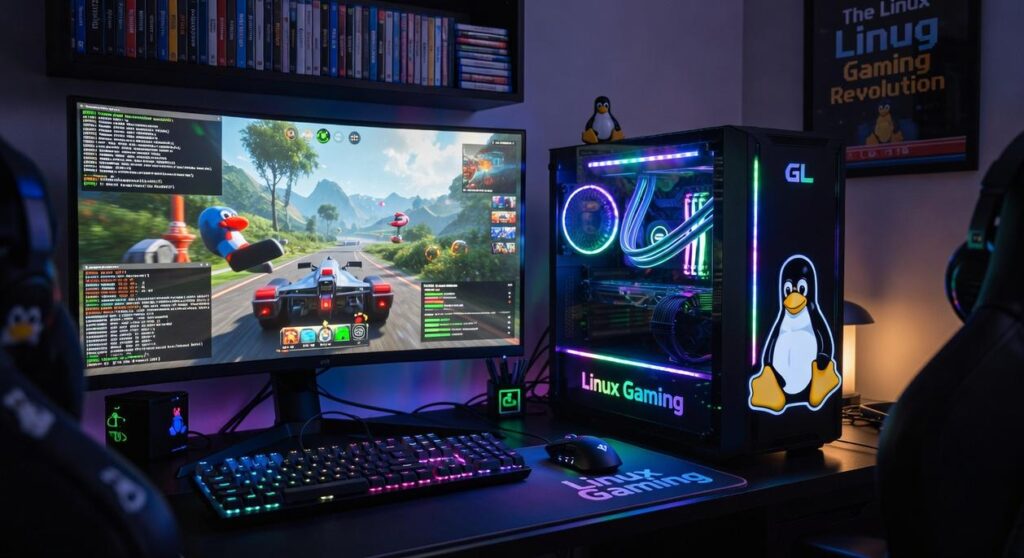

Ever tried getting a game to run smoothly on Linux? It’s like piecing together a jigsaw puzzle where half the pieces are missing. The Linux gaming world offers immense power, but its resources are all over the place.
Frustrating, right? That’s why I’m here. I’ve spent years testing and filtering through the chaos, so you don’t have to.
With this guide, I’ve curated the best Linux gaming setup tools to save you time and headaches. No more endless forum searches. No more outdated guides.
Just a clear, concise roadmap from drivers to performance tweaks. You’ll get everything you need to transform your gaming experience.
Trust me, I’ve been down this rabbit hole. This guide is your important toolkit. Let’s make Linux gaming not just possible, but exceptional.
Ready to dive in?
The Foundation: Important Drivers & Compatibility
Getting your Linux gaming setup running smoothly isn’t just about flashing lights and fancy hardware. It’s about the core components that hold everything together. Graphics drivers are key.
Forgetting to update them is like trying to run the latest game on a potato. Seriously, keep them current. For NVIDIA, you have proprietary drivers.
These are specifically tailored to get the best performance out of your card. On the flip side, AMD and Intel rely on open-source Mesa drivers. They’re community-driven and often surprisingly effective.
Wondering where to grab these drivers? Head to the official resources or trusted PPAs. It’s a bit like choosing best linux distro gaming.
You’ve got to know what you’re getting into.
Proton and Steam Play are your new best friends. Proton, developed by Valve, lets you play Windows games on Linux through Steam. Enabling it is straightforward (just) tweak your Steam client settings.
Then there’s Proton-GE, or ‘Glorious Eggroll.’ It’s the community-fork you didn’t know you needed. It picks up where official Proton sometimes lags. Use it when games have broken cutscenes or other glitches.
Those times when you just can’t get past the intro screen? That’s when Proton-GE steps in.
And let’s not forget about Wine. Wine is the underlying magic for Proton, letting standalone Windows apps run on Linux. Think of it as the unsung hero in your gaming arsenal.
So, here’s your roadmap: get the right drivers, let Proton, and don’t shy away from experimenting with Proton-GE. Choosing best linux distro gaming is just part of getting it all working.
Your Arsenal: Game Launchers & Management Tools
When it comes to Linux gaming setup tools, you’ve got some solid allies. Steam is at the forefront. Honestly, it’s the most streamlined platform for Linux gaming.
Why? Because it just works. Thanks to its deep integration with Proton, you can run Windows games without the usual headaches.
Ever tried getting something to run and felt like you needed a degree in computer science? With Steam, those days are gone.
Now, let’s talk about Lutris. It’s like the for everything outside Steam (GOG, Epic Games, emulators). Open-source, flexible, and community-driven.
The magic lies in its community-sourced installation scripts. These scripts automate the complex setups, saving you from the pain of manual configuration. Who has time for all that?
But wait, there’s more! Heroic Games Launcher is another tool you need on your radar. It’s a native Linux client, built for the Epic Games Store and GOG.
What’s great about Heroic? For starters, you can manage different Wine/Proton versions per game. This is a game-changer, especially if you like customizing your gaming experience.
Plus, the interface is clean and easy to get through (a breath of fresh air, right?).
Pro tip: If you’re serious about gaming on Linux, diving into these tools is a no-brainer. They make life easier, and let’s face it, who doesn’t want that? Whether you’re a casual gamer or someone who lives and breathes games, having the right tools in your arsenal is key.
So, gear up and get gaming.
Fine-Tuning: Performance Tweaking & Monitoring Resources
If you’re serious about your Linux gaming setup, you need the right tools. You’re here for performance, not just pretty graphics. So to some solid tools that will give you that edge.
First up, MangoHud. It’s the go-to in-game overlay for displaying those key stats we all obsess over. FPS, CPU/GPU usage, temperatures, frame timings.
It’s all there. You can let it with a simple launch command: mangohud %command% (easy, right?). This way, you can keep an eye on every hiccup in real-time.
Then there’s Feral Gamemode. This isn’t just a tweak; it’s a system-level optimization tool. It automatically adjusts CPU governor, I/O priority, and other settings for optimal gaming performance.
Installing it is straightforward. On Steam, right-click your game, go to Properties, and add gamemoderun %command% to the launch options. For Lutris, it’s just as simple.
Gamemode ensures your system’s working its hardest without you lifting a finger.
But let’s talk GPU control. For AMD users, CoreCtrl is your friend. And for NVIDIA, GreenWithEnvy is the go-to.
These tools let you manage overclocking, fan curves, and power limits. Perfect for power users who want every drop of performance.
Want more tips? Check out these 10 steps improve linux setup gaming. Seriously, if you haven’t already clicked, you’re missing out on how to squeeze every bit of power from your setup.
So, are you ready to take control? Your gaming experience is about to level up.
The Pre-Flight Checklist: Compatibility Matters
Will my game even run? That’s the million-dollar question for anyone diving into Linux gaming. Before you click that buy button or start an install, you need the right tools in your Linux gaming setup.

Let’s cut through the noise. First up, ProtonDB. It’s the holy grail for Linux gamers.
Why? Because it relies on real people sharing their experiences. The site uses a rating system (Platinum, Gold, Silver, Borked) to tell you how well games run on Linux.
But don’t just stop at the ratings. Dive into user reports. They often include launch options or specific tweaks you’ll need.
Then there’s linux gaming wiki. This place is a treasure trove for anything Linux gaming. Need more?
Check out ‘Are We Anti-Cheat Yet?’ Multiplayer games often choke on anti-cheat software. This website cuts through the confusion. It tracks which anti-cheat systems work on Linux, listing games that use them.
Finally, let’s talk about the Lutris website. It’s a lifesaver for anyone looking to play non-Steam games. The site offers installation scripts and compatibility info, making it a must-visit for serious gamers.
These resources will make or break your Linux gaming experience. So, why gamble with your time? Use these tools to make sure smooth gameplay.
Trust me, a little homework now can save you a ton of frustration later.
Calling for Backup: Community & Knowledge Hubs
Let’s be real: setting up Linux gaming can be a headache. When you’re knee-deep in Linux gaming setup tools, where do you turn? r/linux_gaming on Reddit is your go-to for news and troubleshooting. It’s like the community’s water cooler.
But Reddit isn’t the only game in town. Forums like GamingOnLinux offer deep dives into topics that might just save your setup. And don’t sleep on Discord.
Joining a large Linux gaming server gives you real-time advice from folks who know their stuff. Why struggle solo when help is a click away?
Level Up Your Gaming Experience
Finding reliable info on Linux gaming can be a nightmare. But with these Linux gaming setup tools, you’re armed for success. Bookmark this page and begin by updating your drivers and checking ProtonDB for game compatibility.
Solve your gaming woes today. Trust me, you won’t regret it.