
Every time you launch a game, you’re relying on code that quietly determines your performance, compatibility, and long-term access. This article explores open standards vs proprietary software through the lens of PC gaming, breaking down how each approach shapes frame rates, hardware support, modding freedom, and ecosystem lock-in. Many gamers and developers unknowingly commit to platforms that restrict flexibility or future-proofing. Here, we directly compare the benefits and trade-offs of both models so you can make informed decisions about your setup. Drawing from extensive hands-on experience optimizing gaming systems across platforms, this guide focuses on what truly impacts performance and user freedom.
Open vs. Closed: The Fundamental Divide
As the industry shifts increasingly towards open standards, understanding how these frameworks can impact interoperability is essential, especially when considering Best Practices for Reporting Proton Compatibility Issues.
At its core, the debate around open standards vs proprietary software comes down to control and collaboration.
Open standards are publicly available specifications that anyone can implement. Think of the Vulkan API for graphics or the Ogg Vorbis audio format. These standards are:
- Openly documented
- Designed for interoperability (meaning different systems can work together)
- Not controlled by a single company
In simple terms, they’re like shared rules everyone agrees to follow.
Proprietary software, on the other hand, is owned and controlled by one company. Examples include Microsoft Windows or DirectX. The source code (the human‑readable instructions behind the program) is kept secret, and the company decides how it evolves.
A helpful analogy? A game console is a tightly controlled ecosystem—one company approves everything. A PC, built on broader standards, is more like a customizable playground. (More knobs to turn, more freedom to tweak.)
The Engine of Innovation: Performance and Feature Development
When gamers talk about performance, they usually mean one thing: higher frames, lower latency, fewer crashes (because nobody enjoys a boss fight turning into a desktop wallpaper).
Proprietary Speed
Proprietary software like DirectX 12 is built specifically for Windows. That tight integration allows developers to squeeze every drop of performance from the OS and supported hardware. By “proprietary,” we mean software owned and controlled by a single company, with restricted access to its source code. This control often leads to cutting-edge features appearing first on that platform and strong early developer backing.
However, optimization comes with limits. If you game outside Windows, those benefits don’t always follow.
Open-Source Agility
Open standards like Vulkan are platform-agnostic, meaning they’re designed to run across multiple operating systems. In the debate around open standards vs proprietary software, Vulkan shines on Linux and Android because it isn’t locked to one ecosystem. Developers can fine-tune performance for diverse hardware, often leading to better results on non-Windows systems.
The Role of Community
Open-source projects evolve through community input. Users report bugs, suggest features, and even contribute code. That feedback loop can accelerate fixes and improvements. Proprietary tools follow corporate roadmaps instead—polished, but less influenced by everyday users.
Freedom vs. Simplicity: Ecosystems and Compatibility
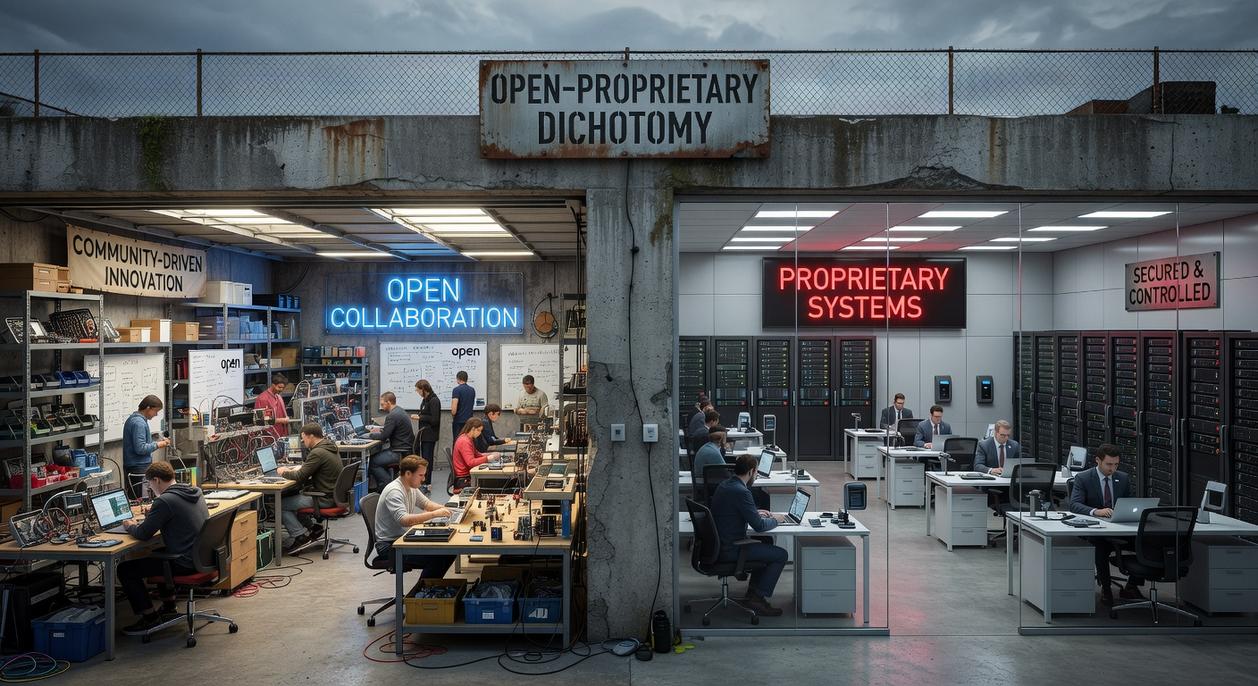
First, let’s define the “walled garden.” A walled garden is a closed ecosystem where one company controls the hardware, software, and distribution channels. Apple’s App Store is the classic example: seamless downloads, tight security, and curated apps—but limited customization and strict approval rules. It’s simple and reliable (like living in a gated community), yet you trade flexibility for comfort. Some argue this control protects users from malware and fragmentation—and they’re right to a point. Curated systems can reduce risk and improve stability. Still, that safety comes at the cost of choice.
By contrast, interoperability—systems designed to work together through shared standards—powers tools like Proton. Proton translates Windows game calls so they run on Linux, letting players keep their libraries without staying locked to one OS. This is the heart of open standards vs proprietary software. Open standards are publicly documented rules that anyone can implement, which fosters competition and innovation (think USB or HTML).
There’s also long-term access to consider. When proprietary platforms shut down, purchased content can vanish. Open ecosystems allow communities to maintain software long after official support ends. For a broader view of industry shifts, explore top emerging technologies shaping the tech industry in 2026.
Recommendation: Choose platforms that prioritize interoperability and community support—you’ll future-proof your setup and keep control where it belongs: with you.
Security Under the Hood: Transparency and Trust
First, let’s talk about the proprietary security model. Often described as “security through obscurity,” it means the source code is closed to the public. You’re expected to trust the vendor to discover and patch vulnerabilities internally. In enterprise IT circles, that’s standard practice—but it also creates a black box. If a flaw slips through, users can’t independently verify or fix it.
By contrast, open-source transparency follows the “many eyes” principle—a concept popularized by Eric S. Raymond in The Cathedral and the Bazaar. The idea is simple: with enough reviewers, bugs become shallow. Anyone can audit the code, from kernel maintainers to hobbyist Arch users tweaking builds at 2 a.m. Consequently, vulnerabilities are often identified and patched quickly.
Then there’s user control and privacy. Open-source projects typically minimize hidden telemetry because the code is inspectable. In debates about open standards vs proprietary software, this distinction matters. Pro tip: always review changelogs before major updates.
The Price of Play: Cost and Licensing Explained
Proprietary software—meaning software owned and controlled by a company—usually comes with direct costs. Think Windows OS licenses or Adobe subscriptions. According to Gartner, enterprise software spending surpassed $800 billion in 2023, highlighting how fast costs scale. Beyond purchase price, total cost of ownership includes upgrades, renewals, and vendor lock-in (yes, that “just one more fee” feeling).
By contrast, the “free as in freedom” model lets users run, modify, and share code at no charge. This lowers barriers for indie developers and gamers alike.
In debates over open standards vs proprietary software, critics argue paid tools offer better support. Sometimes true—but community forums, wikis, and case studies (like Blender’s rise in film production) prove collaborative support can rival corporate help.
Choosing Your Digital Philosophy
Choosing between open standards vs proprietary software ultimately comes down to what you value most: a polished, tightly integrated ecosystem or the freedom to customize, tweak, and truly own your setup. As a gamer, you’ve seen the trade-off—proprietary platforms often deliver cutting-edge features first, while open standards give you long-term flexibility, deeper performance tuning, and cross-platform control.
If your pain point is being locked out of features, mods, or performance gains, it’s time to rethink your stack. Open ecosystems are rapidly gaining ground in gaming for a reason.
Take control of your experience today—optimize your system, explore Proton compatibility, and unlock the full power of Linux gaming now.
 Founder & Chief Visionary Officer
Ask Eloria Neythanna how they got into tech industry buzz and you'll probably get a longer answer than you expected. The short version: Eloria started doing it, got genuinely hooked, and at some point realized they had accumulated enough hard-won knowledge that it would be a waste not to share it. So they started writing.
What makes Eloria worth reading is that they skips the obvious stuff. Nobody needs another surface-level take on Tech Industry Buzz, Proton Compatibility Insights, Linux Setup Optimization Tips. What readers actually want is the nuance — the part that only becomes clear after you've made a few mistakes and figured out why. That's the territory Eloria operates in. The writing is direct, occasionally blunt, and always built around what's actually true rather than what sounds good in an article. They has little patience for filler, which means they's pieces tend to be denser with real information than the average post on the same subject.
Eloria doesn't write to impress anyone. They writes because they has things to say that they genuinely thinks people should hear. That motivation — basic as it sounds — produces something noticeably different from content written for clicks or word count. Readers pick up on it. The comments on Eloria's work tend to reflect that.
Founder & Chief Visionary Officer
Ask Eloria Neythanna how they got into tech industry buzz and you'll probably get a longer answer than you expected. The short version: Eloria started doing it, got genuinely hooked, and at some point realized they had accumulated enough hard-won knowledge that it would be a waste not to share it. So they started writing.
What makes Eloria worth reading is that they skips the obvious stuff. Nobody needs another surface-level take on Tech Industry Buzz, Proton Compatibility Insights, Linux Setup Optimization Tips. What readers actually want is the nuance — the part that only becomes clear after you've made a few mistakes and figured out why. That's the territory Eloria operates in. The writing is direct, occasionally blunt, and always built around what's actually true rather than what sounds good in an article. They has little patience for filler, which means they's pieces tend to be denser with real information than the average post on the same subject.
Eloria doesn't write to impress anyone. They writes because they has things to say that they genuinely thinks people should hear. That motivation — basic as it sounds — produces something noticeably different from content written for clicks or word count. Readers pick up on it. The comments on Eloria's work tend to reflect that.