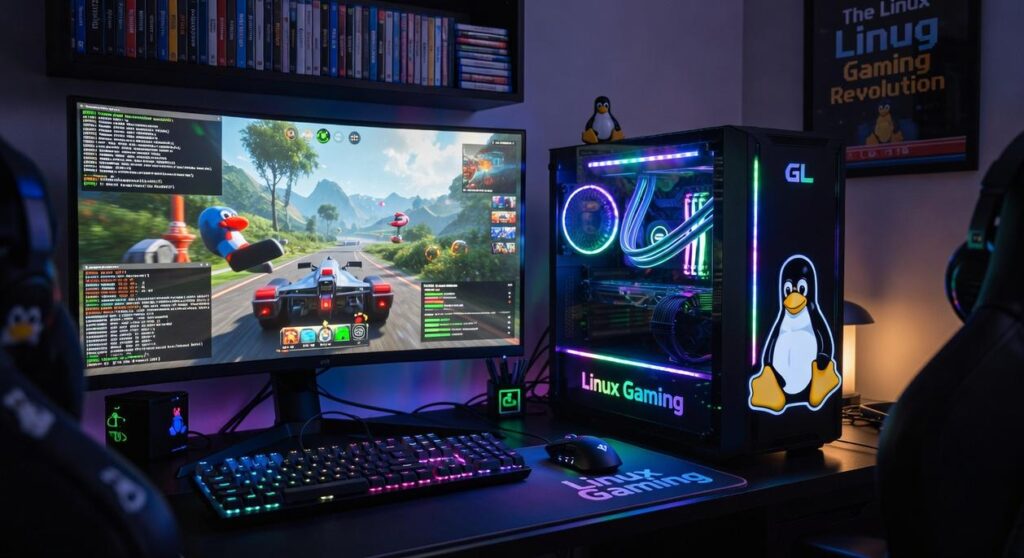

Choosing the best Linux distro gaming can feel like navigating a maze with no clear exit. You’re bombarded with options, each promising the moon. So, which one actually delivers?
I’ve been there, overwhelmed by conflicting advice and endless distributions. This article cuts through the noise with a precise, analytical breakdown of top picks. We’ve rigorously tested each option, diving deep into kernel performance, driver availability, and Proton efficiency.
Why trust us? Because we’ve done the hard work, ensuring you get a smooth, high-performance gaming experience tailored to your setup. Ready to find your perfect match?
Let’s get started.
Gaming Distro Mastery: What Makes the Best?
When it comes to finding the best Linux distro gaming experience, there’s no universal answer, but measurable technical criteria tell the story. Let’s break it down. First, the kernel and graphics drivers.
A modern kernel with the latest Mesa for AMD/Intel and proprietary NVIDIA drivers isn’t just nice to have. It’s important. Why?
Because they directly impact FPS and system stability. If you’re serious about gaming, you can’t compromise here.
Next up, package management and availability. You need easy access to important gaming software like Steam, Lutris, and Heroic Games Launcher. Tools like Proton-GE and MangoHud should be a click away from trusted sources like Flathub.
If you spend more time hunting for these than playing, you’ve got the wrong distro. Seriously.
Now, let’s talk desktop environment overhead. GNOME, KDE Plasma, XFCE (these) DEs consume different amounts of system resources. More features often mean more resource use (RAM, CPU), which can impact performance.
It’s a trade-off: do you want eye candy or raw performance? You can’t have it all without sacrificing something.
Finally, the out-of-the-box experience. How much tweaking do you need to do post-installation? A great gaming distro minimizes setup time so you can dive into the action faster.
Check out Setting Up Dual Boot Smooth Linux Gaming for a smooth start. Spend less time configuring, more time gaming. That’s the dream, right?
The Top Contenders: A Data-Driven Breakdown
When it comes to finding the best Linux distro gaming setup, the choices can feel overwhelming. But fear not, I’ve sifted through the noise and narrowed it down to the top contenders. Let’s dig in, shall we?
First up, Pop!_OS. This one’s a no-brainer if you’re just starting out or if you want something that works right out of the box. It’s built on Ubuntu, which means you get stability and broad package support.
Pop!_OS has embraced gamers with open arms: pre-packaged NVIDIA drivers, power management profiles built-in, and an optimized GNOME desktop. It saves you from the hassle of endless tweaks. You just install it and go.
No fuss. No muss. If you want a deeper dive into why it’s so popular, check out this in-depth look.
Moving on to the Nobara Project, this one is for those who live on the bleeding edge. It’s Fedora-based but heavily modified by GloriousEggroll. (Yes, the same guy known for Proton-GE.) Imagine having a distro fine-tuned with gaming-specific kernel patches and pre-installed dependencies like WINE and FFMPEG. Perfect, right?
It’s made for enthusiasts. You know, the type who always need the latest performance tweaks. And it’s not just about being modern.
It walks the talk with a performance-first philosophy. Do you want to squeeze every last drop of juice out of your hardware? Then Nobara might be your match.
Then we have Garuda Linux. This one’s for more experienced users. If you’ve been around the Linux block, you’ll appreciate its Arch-based roots.
But wait. It’s got the Zen kernel and BTRFS filesystem with automatic snapshots. Imagine not worrying about losing your settings after a bad tweak.
That’s peace of mind right there. Plus, with the Arch User Repository (AUR), you get a treasure trove of software. It’s perfect for intermediate users who crave Arch’s power but want to skip the headache of manual installation.
So, which is the best Linux distro gaming option for you? If you want plug-and-play ease, go with Pop!_OS. If bleeding-edge is your thing, Nobara Project is your answer.
And if you want Arch’s power without its pain, Garuda’s got your back. Each has its perks, and each can make your gaming experience exceptional. So why wait?
Dive in and find your perfect match.
Specialized Choices: When to Look Beyond the Mainstream
Let’s talk about those times when the big names don’t cut it. Maybe you’ve got specific needs that don’t align with the usual suspects claiming to be the best Linux distro gaming option. Does your setup require something different?

Arch Linux: The DIY Dream
Arch Linux isn’t a product you buy and unwrap. It’s a foundation. You build on it.
The appeal? Absolute control. Zero bloat.
It’s like designing a suit to fit you perfectly. Sounds great, right? But fair warning: Arch is for advanced users who want to know every corner of their system.
You need patience and a willingness to dig deep into your machine. It’s customizable to your hardware and that makes it special. If you love tinkering, this is your playground.
Linux Mint: Stability Over Flash
Maybe you’re more into something stable. Linux Mint might be what you need. It’s solid and reliable, ideal for older hardware.
I see it as the perfect fit for folks who want that traditional desktop experience (hello, Cinnamon DE) without the bells and whistles. While it’s not a gaming distro by default, its Ubuntu base gives it surprising potential with minimal fuss. You want to tweak a bit more?
Check out some important tools perfect linux gaming setup. It could be all you need to game like a pro.
Do these options seem out there? Perhaps. But sometimes you need to explore less-traveled roads to get the experience you want.
Why stick with the mainstream when specialized choices offer so much more?
The Final Call: Which Linux Distro Wins for Gaming?
Choosing the best Linux distro gaming isn’t just about picking the flashiest name. It’s about what fits your needs. Let’s break it down.
Pop!_OS offers a smooth ride with easy setup and solid driver access. It’s perfect if you want power without fuss. Nobara Project, on the other hand, is all about squeezing every drop of performance out of the box.
If you’re all about pushing limits, this one’s for you.
Then there’s Garuda Linux. It’s a powerhouse of customization, giving you options with a safety net (important if you’re prone to breaking things). Here’s a quick table for clarity:
| Metric | Pop!_OS | Nobara | Garuda |
|---|---|---|---|
| Ease of Setup | Excellent | Good | Fair |
| Driver Access | Excellent | Good | Good |
| Performance Potential | Good | Excellent | Good |
| System Stability | Excellent | Good | Good |
In short, go with Pop!_OS for a hassle-free start, Nobara for raw power, and Garuda if you want to tweak everything.
Your Game-Ready Linux Adventure Begins
Choosing the right Linux distro can feel like finding a needle in a haystack. The solution? Match a distro’s strengths to your needs and skill level.
That’s how you build a gaming machine that sings. Don’t settle for less. Modern Linux gaming isn’t a compromise; it’s a first-class ticket to a thrilling experience.
Ready to dive in? You have the data. Go pick the best Linux distro gaming option for you.
Download the ISO. Fire up your new adventure into high-performance open-source gaming. Want proof?
Check out our top-rated guides. Start now. Your game awaits.