Linux gaming has evolved from a niche hobby into a powerful, performance-driven ecosystem—and if you’re here, you’re likely looking for clear guidance on how to get the most out of it. Whether you want smoother frame rates, better Proton compatibility, optimized system performance, or a deeper understanding of open-source gaming tools, this article is designed to give you practical, actionable answers.
We break down the essentials: how to fine-tune your Linux setup, optimize drivers and system resources, improve Steam Proton performance, and troubleshoot common compatibility issues. You’ll also discover how the open-source model shapes game development and what it means for players interested in contributing to open source games.
Our insights are grounded in hands-on testing, real-world configuration experience, and deep familiarity with the Linux gaming stack—from kernel tweaks to graphics layer optimization. By the end, you’ll have a clearer path to building a stable, high-performance Linux gaming environment tailored to your needs.
From Player to Creator: Your First Step into Open Source Gaming
From Player to Creator: Your First Step into Open Source Gaming
That jump from player to contributor feels intimidating. Many assume you need elite C++ skills. You don’t.
Open-source projects run on version control platforms (like GitHub, a code-hosting service) where issues, art assets, documentation, and bug reports live.
Start small:
- Test a new build and submit a detailed bug report (hardware specs, distro, Proton version).
- Improve a wiki page or translate dialogue.
- Create UI mockups or soundtrack samples.
Real impact.
Pro tip: read the CONTRIBUTING.md file first.
contributing to open source games builds portfolios and communities.
I used to think game development was only for hardcore coders hunched over dual monitors. Then I joined a small project as a playtester—just leaving detailed bug reports—and everything changed.
Beyond the Resume
First, I had proof of work. Not just claims, but commits, feedback threads, and design notes. Employers value that. It shows collaboration, follow-through, and real-world communication (which matters more than people admit).
The Power of Community
More importantly, I found mentors. In contributing to open source games, you learn directly from experienced developers, artists, and writers. Over time, you stop feeling like an outsider and start feeling like part of the crew.
Debunking the “Coder-Only” Myth
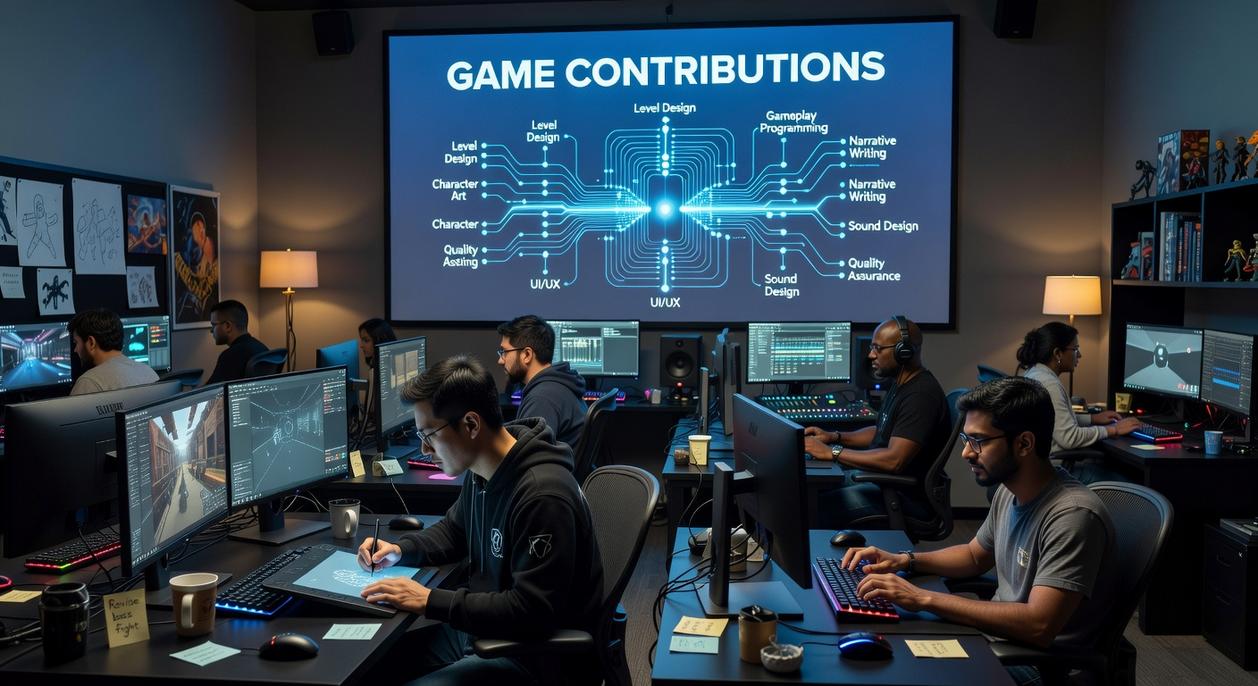
A game built only by programmers struggles. You also need:
- Testers
- Writers
- Artists
- Translators
- Community managers
Think of it like a band—coding is just one instrument.
Skill Development
Along the way, I learned Git, project workflows, and clearer communication. And honestly? That growth happened faster than any online course I tried.
Finding Your Perfect Match: How to Choose a Project
Start with What You Play: The easiest entry point is a game you already know and enjoy. You understand its mechanics and can spot potential improvements or bugs more easily.
Where to Look
GitHub and GitLab are the obvious hubs, but smart searching is the edge most guides skip. Use tags like gamedev, open-source-game, cpp, or godot and filter by language, recent commits, and “good first issue.” Sort by most recently updated to avoid abandoned repos (the graveyard is real).
Signs of a healthy project include a clear README, a CONTRIBUTING.md file, a code of conduct, and steady commit activity. Check whether maintainers reply to issues within days, not months. A responsive Discord or Matrix server is a bonus.
To assess fit, open the Issues tab. Look for labels that match your skills—rendering, UI, localization, packaging for Linux. This alignment step is what many competitors ignore when discussing contributing to open source games.
Some argue you should build solo projects. Fair. But established teams offer code reviews, mentorship, and production-level workflows (like leveling up before the final boss). Pro tip: scan closed issues to see how feedback is handled.
Beyond the Code: High-Impact Contributions for Everyone
My first real impact on a game project didn’t come from writing code. It came from filing a bug report after a crash on my aging Linux laptop. I almost didn’t bother—“Surely the devs already know,” I thought. They didn’t. That report led to a patch within days.
Become a Master Tester
Testing is the backbone of healthy projects. An effective bug report includes:
- Clear title (what broke, where)
- Steps to reproduce (numbered, specific)
- Expected vs. actual result (what should have happened vs. what did)
- System specs (distro, kernel, GPU, Proton version—Linux setups vary wildly)
Think of it as writing a mini detective report (minus the trench coat). Precise reports save developers hours of guesswork.
Improve the Documentation
Outdated install guides are everywhere. If you’ve ever pieced together answers from forum posts at 2 a.m., you know the pain. Updating a wiki, clarifying gameplay mechanics, or writing a beginner-friendly tutorial can be just as valuable as code. Some argue docs are “secondary.” In reality, poor documentation drives players away faster than a minor bug.
Lend Your Creative Talents
Games need art, sound, and music. Tools like Krita, Blender, and Audacity make it accessible. You don’t need a AAA portfolio—just consistency and collaboration.
Translate and Globalize
Translation expands reach overnight. Most projects use simple localization files for in-game text and docs, making contributions straightforward.
Build the Community
Answer questions. Welcome newcomers. Organize playtests. Healthy communities sustain momentum.
If you’re exploring the top linux compatible open source games you can play today (https://pblinuxgaming.com.co/top-linux-compatible-open-source-games-you-can-play-today/), remember: contributing to open source games is often about showing up consistently, not coding perfectly.
Making Your Mark with Code: From First Bug Fix to New Features
Getting started in open source can feel overwhelming (like walking into a final boss fight at level one). Let’s simplify it.
Finding Your First Task
Most projects label beginner-friendly issues as “good first issue,” “help wanted,” or “easy.” These tags signal that maintainers—people who manage and review the project—have set aside tasks specifically for newcomers. Think of them as tutorial quests. Starting small helps you understand the project’s structure without drowning in complexity.
The Contribution Workflow (Git Flow)
The standard process follows a clear path. You fork (copy) the repository to your account, create a new branch (a separate workspace for your changes), commit your updates, and open a Pull Request (PR)—a formal request asking maintainers to review and merge your code. A PR is simply a structured conversation around your changes.
Understanding the Codebase
Begin with a tiny bug fix to trace how data moves through the system. This builds context. Don’t hesitate to ask questions in forums or chat channels; clarification saves hours of guesswork.
PR Best Practices
Write a clear description of the problem and your solution. Link the related issue. Be responsive to feedback. Collaboration is the real feature you’re building.
Whether you’re contributing to open source games or tools, small fixes often unlock bigger opportunities (pro tip: consistency beats flashy one-off commits).
Your Contribution Journey Starts Now
If you’re still feeling overwhelmed, that’s normal. I’ve been there, staring at repositories like they’re the final boss in Dark Souls. But here’s my take: the fear fades once you move.
Instead of overthinking, try this:
- Pick a game you genuinely enjoy.
- Open its Issues page.
- Tackle one tiny task—report a bug or fix a typo.
In my opinion, contributing to open source games isn’t about brilliance; it’s about momentum. Start small, build confidence, repeat. So this week, take one step. Progress beats perfection—every single time. That first commit changes everything forever.
Level Up Your Linux Gaming Experience
You came here looking for clearer answers on how to get the best performance, compatibility, and overall experience from gaming on Linux. Now you know how Proton tweaks, system optimizations, and the right open-source tools can transform frustrating gameplay into a smooth, high-performance setup.
Linux gaming can feel overwhelming—driver issues, launch options, compatibility layers, and constant updates. But with the right adjustments and a solid understanding of how everything works together, those pain points become manageable—and even empowering.
The key is to take action. Start by optimizing your current setup, testing Proton versions strategically, and refining your system configuration for maximum stability and FPS. Then go one step further by contributing to open source games and the tools you rely on. That’s how the ecosystem grows stronger—and how your experience keeps improving.
If you’re tired of performance drops, broken launches, and guesswork, don’t settle. Apply these tweaks today, stay updated with trusted Linux gaming breakdowns, and use proven optimization strategies that thousands of players rely on. Your smoother, faster, frustration-free Linux gaming setup starts now.